
Download ChatArtPro – AI Copywriter Tool for Blogs, Social Media & Marketing
ChatArtPro is a powerful AI copywriting software that transforms how writers, marketers, and content creators generate high-quality text. Whether you're crafting compelling blog posts, engaging social media content, persuasive email campaigns, or detailed product descriptions, ChatArtPro delivers smart, fast, and creative solutions. With advanced natural language processing and real-time illustration generation, this tool helps users overcome writer’s block, save time, and maintain consistent tone and style across platforms. Designed for both beginners and professionals, ChatArtPro supports multiple languages, offers customizable templates, and integrates seamlessly into daily workflows. The platform is accessible via web, Windows, Mac, Android, and iOS—making it a truly versatile tool for anyone looking to boost productivity and content quality.
Key Features of ChatArtPro
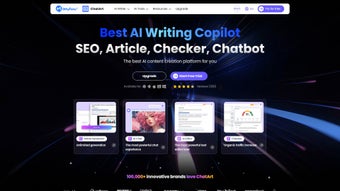
ChatArtPro stands out in the crowded AI writing tool market thanks to its comprehensive suite of features tailored for modern content creation. One of its most impressive capabilities is real-time illustration generation. Unlike traditional AI copywriters that only produce text, ChatArtPro allows users to generate visual content alongside their copy—ideal for social media posts, blog headers, and marketing materials. This dual functionality eliminates the need to switch between tools, significantly streamlining the creative process.
Another standout feature is its multi-platform ad and social copy generation. Whether you're writing for Instagram, Twitter/X, LinkedIn, or Facebook, ChatArtPro tailors content to each platform’s tone and character limits. It automatically suggests relevant hashtags, optimizes engagement, and ensures your message resonates with the target audience. For e-commerce professionals, the product description generator is a game-changer—producing unique, SEO-friendly descriptions in seconds, complete with bullet points and persuasive language.
The tool also excels in text summarization and rewriting. Users can paste lengthy documents, articles, or research notes, and ChatArtPro will generate concise, accurate summaries while preserving key insights. This is particularly useful for students, researchers, and professionals who need to digest information quickly. Additionally, the email and resume writing templates provide structured formats that guide users through creating professional, error-free content—perfect for job seekers and business professionals.
With multi-language support, ChatArtPro caters to a global audience. It supports over 15 languages, including Spanish, French, German, Japanese, and Mandarin, enabling users to create content for international markets without relying on external translators. The AI-powered tone adjustment feature lets you choose between casual, formal, persuasive, or humorous tones, ensuring your copy matches your brand voice. All features are accessible through a clean, intuitive interface, making it easy to use even for non-technical users.
How to Install and Use ChatArtPro
Downloading and setting up ChatArtPro is straightforward, regardless of your device. For Windows and Mac users, visit the official website and click the “Download” button. Choose the appropriate version for your operating system—either the desktop app or the web-based version.
The installation process takes less than two minutes, with minimal system requirements. Once installed, launch the app and sign in using your email or Google account. The onboarding wizard will guide you through selecting your preferred language, writing goals, and content types.
If you're using Android or iOS, head to the Google Play Store or Apple App Store and search for “ChatArtPro.” Download the mobile app, which is lightweight and optimized for touchscreens. After installation, open the app and complete the quick setup. You’ll gain access to all core features, including instant copy generation, text summarization, and real-time image creation—perfect for on-the-go content creation.
Using ChatArtPro is intuitive. Start by selecting your content type—such as blog post, social media caption, or product description. Enter your topic or a few keywords, and the AI will generate multiple options within seconds.
You can then refine the output using the built-in editing tools, adjust the tone, and add personal touches. The template library offers pre-designed formats for common use cases, from email newsletters to video scripts. For users who want to go further, the AI illustration generator lets you describe a scene or concept, and the tool will create a matching visual—ideal for creating eye-catching posts or presentations.
Regular updates ensure that ChatArtPro stays ahead of the curve. The development team releases new features and improvements monthly, including enhanced language models, better formatting, and expanded template categories. Users can enable automatic updates to always have the latest version, ensuring optimal performance and security.
Compatibility and System Requirements
ChatArtPro is built with cross-platform compatibility in mind, making it accessible to users across different devices and operating systems. It supports Windows 10 and later, macOS 11 (Big Sur) and newer, Android 8.0 and above, and iOS 14 and later. This wide range of compatibility ensures that whether you're working on a desktop, laptop, tablet, or smartphone, you can access your projects anytime, anywhere.
The software has minimal system requirements, making it suitable for both high-end machines and older devices. On desktop platforms, ChatArtPro requires at least 2GB of RAM and 500MB of free disk space. The mobile apps are optimized for performance, consuming less than 100MB of storage and running smoothly on mid-range smartphones and tablets. All versions are designed to work efficiently even with limited internet connectivity, thanks to smart caching and offline mode features.
For web users, no installation is required—just open your browser (Chrome, Firefox, Safari, or Edge) and log in to your account. The web version is fully responsive and adapts to any screen size, from desktop monitors to small mobile screens. This flexibility makes ChatArtPro ideal for remote teams, freelancers, and digital nomads who need consistent access to their content tools.
Security is a top priority. ChatArtPro uses end-to-end encryption for all user data and complies with GDPR and CCPA regulations. Your content, drafts, and personal information remain private and protected. The platform also offers two-factor authentication (2FA) for added account security, ensuring only authorized users can access your projects.
Pros and Cons of ChatArtPro
Pros
- Real-time AI illustration generation – Unique feature that combines text and visual creation in one tool.
- Multi-platform support – Available on Windows, Mac, Android, iOS, and web.
- Extensive template library – Pre-built formats for blogs, emails, resumes, ads, and more.
- Multi-language and tone customization – Supports 15+ languages with adjustable tone settings.
- Fast and accurate content generation – Produces high-quality copy in seconds.
- Free plan with useful features – Great for beginners and casual users.
- Regular updates and excellent customer support – Continuous improvements and responsive help team.
Cons
- Limited features in free version – Advanced AI models and illustration tools are locked behind premium tiers.
- Occasional lag on older devices – Performance may drop on low-end systems.
- Learning curve for advanced features – Some users may need time to master all tools.
- Internet dependency – Full functionality requires a stable connection.
- Image generation quality varies – While impressive, some illustrations may need refinement.
Frequently Asked Questions (FAQ)
Is ChatArtPro free to download and use?
Yes, ChatArtPro offers a free plan that allows users to access basic features like text generation, summarization, and limited templates. While the free version is fully functional, premium features such as AI illustration generation, advanced tone control, and unlimited exports are available through paid subscriptions.Can I use ChatArtPro on my iPhone or Android phone?
Absolutely. ChatArtPro is available on both the Apple App Store and Google Play Store. The mobile app is optimized for touchscreens and offers full access to core features, including content generation, editing tools, and real-time image creation.Does ChatArtPro support multiple languages?
Yes, ChatArtPro supports over 15 languages, including English, Spanish, French, German, Japanese, Chinese, and Arabic. You can switch languages easily and generate content in your preferred language with accurate grammar and cultural relevance.How secure is my data on ChatArtPro?
ChatArtPro prioritizes user privacy. All data is encrypted using end-to-end encryption, and the platform complies with GDPR and CCPA. Two-factor authentication is available, and your content is never shared or sold to third parties.Can I export my content to other platforms?
Yes, ChatArtPro allows you to export your content in multiple formats, including plain text, Word, PDF, and HTML. You can also copy and paste directly into platforms like WordPress, Google Docs, or social media apps.Conclusion: Why You Should Download ChatArtPro Today
ChatArtPro is more than just an AI copywriting tool—it’s a complete content creation ecosystem. With its unique blend of text generation, real-time illustration, multi-language support, and cross-platform availability, it’s a must-have for bloggers, marketers, e-commerce sellers, and anyone who writes regularly. The free version offers solid value, while the premium plans unlock powerful features that dramatically boost productivity and creativity.
Whether you're drafting your first blog post, creating a viral social media caption, or designing a professional resume, ChatArtPro delivers fast, accurate, and inspiring results. Its intuitive design, regular updates, and strong security make it a reliable companion for both personal and professional use.
Don’t let writer’s block slow you down. Download ChatArtPro today and experience the future of smart content creation—secure, efficient, and endlessly creative.



.png)



